
If you’ve been managing digital marketing campaigns for a while, you’ve probably noticed tracking getting harder each year. Browser updates, privacy regulations, and ad blockers constantly challenge how we collect and use data. Gone are the days when client-side tracking seemed bulletproof.
Server-side tagging in Google Tag Manager (GTM) has emerged as the solution many of us have been waiting for. While it might sound technical, the concept is straightforward and the benefits are substantial. Instead of relying on the user’s browser, this technique directs tracking to your own server, offering greater oversight and more reliable data collection.
Let us walk you through why server-side tagging matters and how it can transform your data collection strategy.
What is Server-Side Tagging in GTM?
Server-side tagging flips the traditional tracking model on its head. Data flows to your server before being processed, avoiding the need to run multiple tracking scripts in the user’s browser. The server takes care of processing the data and transmits it to your analytics solutions, ad networks, and other marketing applications.
Think of it as having a smart middleman. Your website talks to one server – yours – and that server handles all the conversations with Google Analytics, Facebook Pixel, and other tracking platforms. The user’s browser doesn’t need to load dozens of third-party scripts anymore.
Here’s how it works in practice: When someone visits your website, their browser loads your pages normally. But instead of firing off tracking codes to multiple destinations, your site sends a single request to your server-side GTM container. This container then processes the data and sends it to all your marketing and analytics tools.
The server-side GTM container runs on Google Cloud Platform, though you maintain full control over the data processing logic. The data can be adjusted, filtered, or improved by the server prior to being delivered to its intended platform.
Benefits of Server-Side Tagging
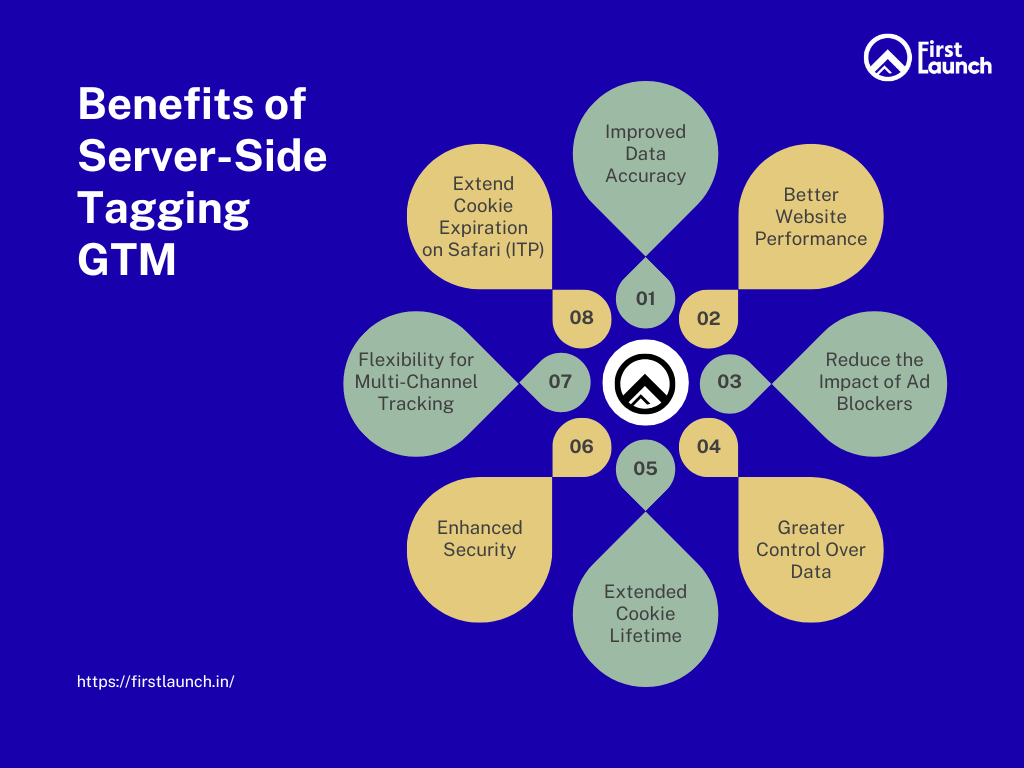
1. Improved Data Accuracy
Client-side tracking faces numerous obstacles that server-side tagging sidesteps entirely. When tracking scripts run in browsers, they compete with other website elements for resources. Slow-loading pages, JavaScript errors, or users quickly bouncing can cause data loss.
We’ve seen businesses lose 20-30% of their conversion data simply because their tracking pixels couldn’t fire before users left the page. Server-side tagging eliminates this issue by ensuring data reaches your server regardless of what happens in the browser afterward.
Browser settings also impact client-side tracking accuracy. Users with strict privacy settings, disabled JavaScript, or modified browser configurations can create gaps in your data. Server-side tracking captures these interactions since the data collection happens on your server, not in the user’s browser environment.
The timing advantage is significant, too. Server-side tracking can process and send data even after users close their browsers or navigate away from your site. This means capturing those crucial last-second conversions that traditional tracking often misses.
2. Better Website Performance
Every client-side tracking script adds weight to your web pages. Each Facebook Pixel, Google Ads tag, or analytics code requires the browser to download, parse, and execute additional JavaScript. This slows down your site, especially on mobile devices with limited processing power.
Server-side tagging reduces this burden dramatically. Instead of loading ten different tracking scripts, your pages load one lightweight data layer. Your server handles all the heavy lifting of communicating with various platforms.
We’ve measured page load improvements of 15-25% after clients migrated to server-side tagging. This isn’t just good for user experience – Google considers page speed a ranking factor. Faster sites often see improved search engine rankings and better conversion rates.
The reduction in client-side JavaScript also means fewer opportunities for conflicts between different scripts. If you’ve ever dealt with one tracking code breaking another, you’ll appreciate this benefit.
3. Reduce the Impact of Ad Blockers
Ad blockers have become increasingly sophisticated at identifying and blocking marketing tags. They recognize common tracking domains, script patterns, and pixel requests. This creates blind spots in your data, especially among tech-savvy audiences who use ad blockers most frequently.
Server-side tagging helps circumvent these blocks because the data collection appears as regular website traffic. Instead of making obvious requests to facebook.com or google-analytics.com, your site communicates with your own domain. Ad blockers struggle to recognise and prevent these types of server-based data transmissions.
While determined users can still block tracking through various methods, server-side tagging captures data from many users whose ad blockers would otherwise interfere with client-side tracking. For some clients, this has meant recovering 10-15% of previously lost tracking data.
4. Greater Control Over Data
Client-side tracking subjects your data collection process to the limitations of third-party platforms. When Facebook or Google updates its tracking codes, you need to update your implementation. If their servers experience issues, your data collection suffers.
Server-side tagging gives you the power to decide exactly what data gets sent where and when. You can enrich data with additional context, filter out unwanted information, or transform data formats to match different platform requirements.
This control extends to privacy compliance, too. You can implement sophisticated logic to handle user consent preferences, automatically excluding certain data types based on user choices. Instead of relying on each platform’s consent handling, you manage it centrally on your server.
As a leading digital marketing agency in Bangalore, we value the ability to create backup data streams. If one platform experiences downtime, your server can queue the data and resend it later, ensuring no loss of information.
5. Extended Cookie Lifetime
Safari’s Intelligent Tracking Prevention (ITP) and similar browser restrictions limit client-side cookies to short lifespans – often just 7 days for third-party cookies and 24 hours in some cases. This makes accurate attribution nearly impossible for longer sales cycles.
Server-side tagging allows you to set first-party cookies with extended lifespans since they originate from your domain rather than third-party tracking domains. These cookies can last months instead of days, providing much better attribution data for businesses with longer consideration periods.
For e-commerce sites, this means a better understanding of the customer journey from initial awareness to final purchase. B2B companies benefit even more, as their sales cycles often span weeks or months.
6. Enhanced Security
Client-side tracking exposes your measurement setup to anyone who inspects your website’s code. Competitors can see exactly what platforms you’re using, which events you’re tracking, and even some configuration details.
Server-side tagging keeps this information private. Your tracking implementation lives on your server, invisible to casual inspection. This provides competitive advantages and reduces the risk of others copying your measurement strategy.
Data security improves, too. Sensitive information never leaves your server environment unless you explicitly send it to trusted platforms. You can strip out personally identifiable information, hash sensitive data, or apply other security measures before data reaches third-party systems.
7. Flexibility for Multi-Channel Tracking
Managing tracking across multiple platforms becomes much simpler with server-side tagging. Instead of implementing separate codes for each platform, you configure everything in your server-side GTM container. Adding new platforms or modifying existing ones doesn’t require website changes.
This flexibility shines when you’re testing new advertising platforms or analytics tools. You can start sending data to a new platform instantly without touching your website code or waiting for development resources.
Cross-platform data consistency improves, too. When all platforms receive data from the same source with identical formatting, discrepancies between reports decrease significantly.
8. Extend Cookie Expiration on Safari (ITP)
Safari’s ITP deserves special mention because of its significant impact on digital marketing. Apple’s privacy features aggressively limit tracking capabilities, making it difficult to understand user behavior on Safari browsers.
Server-side tagging helps mitigate these restrictions by establishing first-party relationships between your domain and the tracking data. While you still need to respect user privacy preferences, server-side tracking provides more reliable data collection on Safari than traditional client-side methods.
This is particularly important given Safari’s significant market share, especially among higher-income demographics. Losing visibility into this audience segment can seriously skew your marketing insights and attribution models.
Drawbacks and Limitations of Server-Side Tagging
Paid
Server-side tagging isn’t free. Google charges for the server resources needed to run your container, and costs scale with your traffic volume. Small websites might pay $10-20 monthly, while high-traffic sites could see bills in the hundreds or thousands of dollars.
The pricing structure is based on requests processed, not a flat fee. This means costs grow as your business grows, which can be challenging to budget for in rapidly scaling companies. You’ll need to factor these ongoing costs into your marketing technology budget.
However, many businesses find that the improved data quality and website performance justify the expense. The cost often pays for itself through better attribution, leading to more efficient ad spending.
Higher Setup Complexity
Implementing server-side tagging requires more technical expertise than traditional client-side tracking. You’ll need to understand server configurations, data transformation logic, and potentially custom coding for complex implementations.
The initial setup involves configuring cloud infrastructure, setting up the server container, migrating existing tags, and testing everything thoroughly. This process can take several weeks for complex setups, compared to hours for basic client-side implementations.
Many businesses need external help for setup and ongoing management. While this adds to the cost, working with experienced professionals can save time and prevent costly mistakes.
Learning Curve for Teams
Your marketing and analytics teams will need time to adapt to server-side tagging concepts. The debugging process differs from client-side tracking, requiring new tools and approaches to troubleshoot issues.
Traditional browser-based debugging tools don’t work with server-side implementations. Teams must learn new methods for validating data flow and identifying problems. This transition period can temporarily slow down campaign optimizations and analysis.
Documentation and training become more important when tracking logic lives on servers rather than in easily inspectable browser code. Teams need robust processes for managing changes and understanding current configurations.
Benefits of Server Side Tagging: Conclusion
Server-side tagging represents a fundamental shift in how we approach digital measurement. While the setup requires more effort and ongoing costs, the benefits – improved data quality, better website performance, enhanced privacy compliance, and future-proofing against browser restrictions – make it a worthy investment for serious digital marketers.
The question isn’t whether server-side tagging will become standard practice, but how quickly businesses will adopt it. Early adopters gain competitive advantages through more accurate data and better user experiences. As browser privacy restrictions continue tightening, server-side tagging may become necessary rather than optional.
Start evaluating whether server-side tagging makes sense for your business now. Consider your current data quality issues, website performance challenges, and long-term digital strategy. The transition takes time, but the payoffs in data accuracy and measurement capabilities are substantial.