
Creating a successful social media strategy involves more than just posting content regularly. Today’s brands must create engaging material, ensure consistency across various platforms, work with team members, track audience interaction, and measure outcomes—all while keeping up with ever-changing social media rules.
Whether you are running a small business, a digital marketing company, a content creator, or a big brand, managing several social media platforms manually can take a lot of time. This is where social media calendar tools really help.
Modern social media management tools allow you to plan your campaigns, schedule posts, work with your team, use AI to create captions, keep an eye on conversations, and analyze performance—all in one place.
By using the right social media calendar tool, you can:
- Keep your posting routine consistent.
- Save time by using automation.
- Work seamlessly with your team.
- Plan promotions and special events
- Keep track of audience interaction and how your content is performing.
- Use content that has been around for a long time again.
- Make your marketing tasks more efficient.
Criteria for Selecting the Right Social Media Calendar Tool
Not all social media management tools are made for the same needs. Before picking a tool, consider the following aspects:
User Interface
A clean, easy-to-use layout makes it easier to organize content.
Features such as drag-and-drop calendars, visual planners, and easy navigation can help your team work more effectively.
Features
Look beyond simple scheduling.
The best tools now offer:
- Publishing content across multiple platforms
- AI assistance in creating captions
- Approval processes for content
- Team collaboration
- Listening to social media conversations
- Performance analytics and reports
- Scheduling multiple posts at once
- Storing media files
- Reusing existing content
- Tracking links
Customization
Every marketing process is different. Pick a platform that lets you personalize categories for content, roles for users, publishing times, and how you plan your campaigns.
Integrations
Make sure the tool can work with other tools like Canva, Google Drive, Dropbox, Slack, HubSpot, WordPress, Notion, and CRM systems. This can help simplify your workflow.
Pricing
Choose a solution that fits your budget and can grow with your business.
Customer Support
Having good documentation, live chat, help onboarding, and fast support can help you save time if problems occur.
Top social media calendar tools
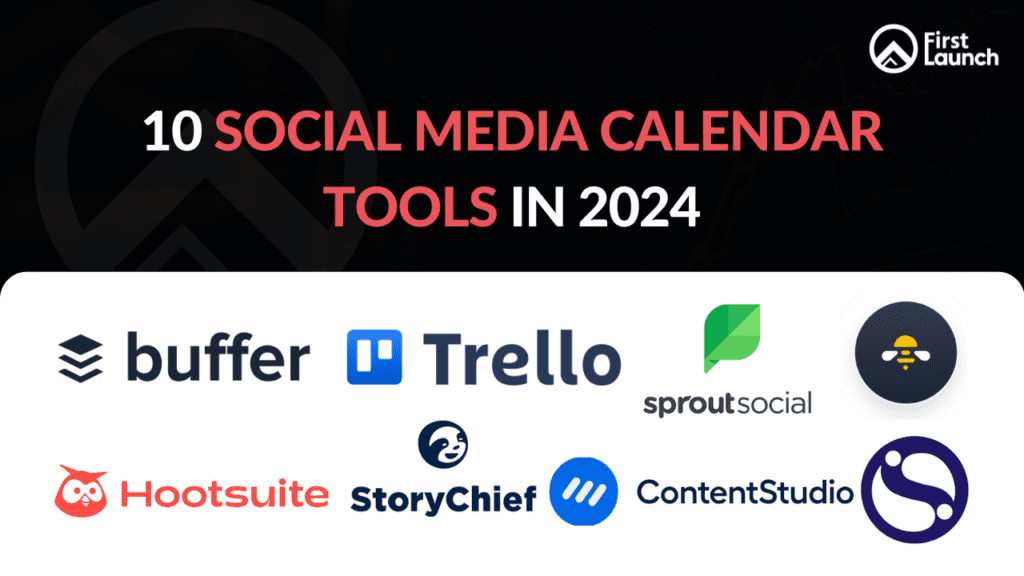
1. Buffer
Buffer is still one of the easiest tools for businesses, freelancers, and creators. It lets you schedule posts, manage multiple accounts, check performance, and work with a team through a simple dashboard.
Pros
- Easy to use with a clean interface
- Works with major social media platforms
- Built-in performance analysis
- Team collaboration options
- AI help for creating content
Cons
- Fewer features in the free version
- Advanced reports require higher-priced plans.
Best For: Small businesses, startups, freelancers, and marketers who want a straightforward scheduling tool.
2. Hootsuite
Hootsuite is one of the most complete social media management tools. It includes scheduling, engagement, analysis, employee involvement, and social listening.
Pros
- Supports many social platforms
- Advanced analytics and reports
- Social listening tools
- Collaboration with teams
- AI help for publishing content
Cons
- High cost for premium versions
- Can be too complicated for beginners
Best For: Big companies and agencies handling multiple brands and campaigns.
3. CoSchedule
CoSchedule is a tool that combines content marketing, editorial planning, and social media scheduling into one marketing calendar. Its drag-and-drop interface makes it very easy for content teams to plan campaigns.
Pros
- Great visual calendar for marketing
- Templates for scheduling on social media
- Managing editorial workflows
- Connects with WordPress and marketing tools
Cons
- Too many features for simple scheduling needs
- More expensive than basic tools
Best For: Content marketing teams that manage blogs, newsletters, and social media together.
4. Trello
Although Trello is not a social media tool by itself, many teams use it to organize editorial calendars and content workflows. Its Kanban boards make it very visual for planning campaigns.
Pros
- Highly customizable
- Free plan available
- Excellent project management
- Connects with productivity tools
Cons
- No native support for social media publishing
- Needs integrations for scheduling
Best For: Small teams focusing on content planning rather than publishing.
5. SocialBee
SocialBee is known for content scheduling, evergreen content management, and audience engagement. Its category-based system helps businesses reuse top-performing content continually.
Pros
- Recycling evergreen content
- Scheduling around content categories
- AI content creation
- Team collaboration
Cons
- A bit to learn at first
- Analytics less detailed than enterprise tools
Best For: Businesses that regularly reuse blog content and evergreen posts.
6. Sprout Social
Sprout Social is highly praised for its detailed analytics, reporting, and customer engagement features. It combines content publishing, social listening, customer support, and performance measurement.
Pros
- Excellent reporting dashboard
- Social listening tools
- Integration with CRM systems
- Team collaboration
- Great customer service
Cons
- High cost for premium plans
- Limited options on lower-tier plans
Best For: Medium and large businesses, as well as agencies, that need in-depth analytics.
7. Sendible
Sendible was created for agencies, making it easy to manage multiple clients from a single dashboard. It offers white-label reports, approval workflows, and scheduling abilities.
Pros
- White-label reporting
- Scheduling multiple posts at once
- Approval processes for clients
- Strong features for agencies
Cons
- Some learning involved
- Advanced features only available on premium plans
Best For: Marketing agencies and businesses handling multiple brands.
8. StoryChief
StoryChief does more than just schedule social media posts by helping businesses handle their entire content marketing process. You can publish blogs, newsletters, and social media posts all from one platform.
Pros
- Publishing across multiple channels
- SEO tools for improving search rankings
- Managing editorial workflows
- Team collaboration
Cons
- More focused on content rather than social media
- Premium pricing
Best For: Businesses with a strong content marketing plan.
9. ContentStudio
ContentStudio is a tool that includes social media scheduling, content discovery, AI writing, and performance tracking in one place.
Its content curation tools are especially useful for businesses that share industry news along with original content.
Pros
- AI help for generating captions
- Finding content for posts
- Automation workflows
- Scheduling across multiple platforms
- Performance analysis dashboard
Cons
- Setup process can take some time.
- Advanced features require paid plans.
Best For: Content marketers, agencies, and growing businesses.
10. Loomly
Loomly offers collaborative planning, scheduling, approval processes, and recommendations for optimizing posts.
Pros
- Visual content calendar
- Collaboration and approval features
- Suggestions for optimizing posts
- Support for major social media platforms
- Simple and easy-to-use interface
Cons
- More advanced analytics on higher-priced plans
- Higher cost for larger teams
Best For: Marketing teams, agencies, and businesses that need collaborative planning.
Final Thought
A well-planned social media calendar can simplify content management, maintain consistency, and help your brand build a stronger online presence. The right tool can save time while making it easier to plan, schedule, and measure your social media efforts.
Ready to improve your social media strategy? Partner with a professional digital marketing agency in Bangalore to create a strategic, results-driven social media plan. Contact First Launch today to take your social media marketing to the next level.
Blog posts we recommend:
Content Writing Tools in 2024 for SEO Growth | First Launch
Essential Keyword Ranking Checker Tools in 2024 For SEO
8 Cutting-Edge Tools For Checking Backlinks in 2024
Make Your SEO Game Stronger With Free Keyword Research Tools

