
Every well-ranking page starts with the same decision: which words are worth building content around. Get that choice right and the content has a real audience searching for it before a single sentence gets written. Get it wrong, and even strong writing sits unseen, aimed at a query nobody actually types. That’s the entire case for keyword research, and the good news is that a genuinely useful starting point doesn’t require a paid subscription. Here’s a closer look at 15 free keyword research tools worth knowing, what each one is actually good for, and where its free tier stops being enough.
Here are the 15 keyword research tools worth adding to your toolkit, along with what each one does best and where its limits kick in:
1. Google Keyword Planner
2. Google Trends
3. AnswerThePublic
4. Keyword Surfer
5. Semrush
6. Ubersuggest
7. Ahrefs
8. KeywordTool.io
9. Soovle
10. Wordtracker Scout
11. Seed Keywords
12. Keyword Sheeter
13. Spyfu
14. Keywords Everywhere
15. Serpstat Keyword Research
1. Google Keyword Planner
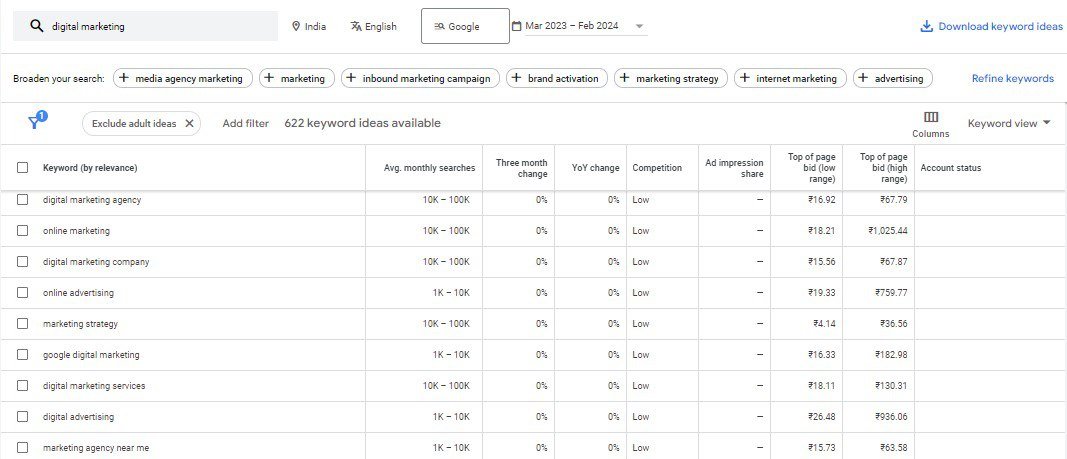
Though primarily built for advertisers, Google Keyword Planner is one of the more reliable tools for anyone refining an organic keyword strategy, largely because the data comes straight from Google rather than a third-party estimate. Entering a word or phrase surfaces search volume, competition level, and related keywords, which makes it useful for gauging both the potential traffic a keyword could bring and how crowded the ranking landscape already is. It’s free with a Google Ads account and doesn’t require an active campaign or spend, though worth knowing upfront: without live ad spend, Google shows volume as a range rather than an exact number, which is fine for early brainstorming but less precise for prioritizing a content calendar.
2. Google Trends
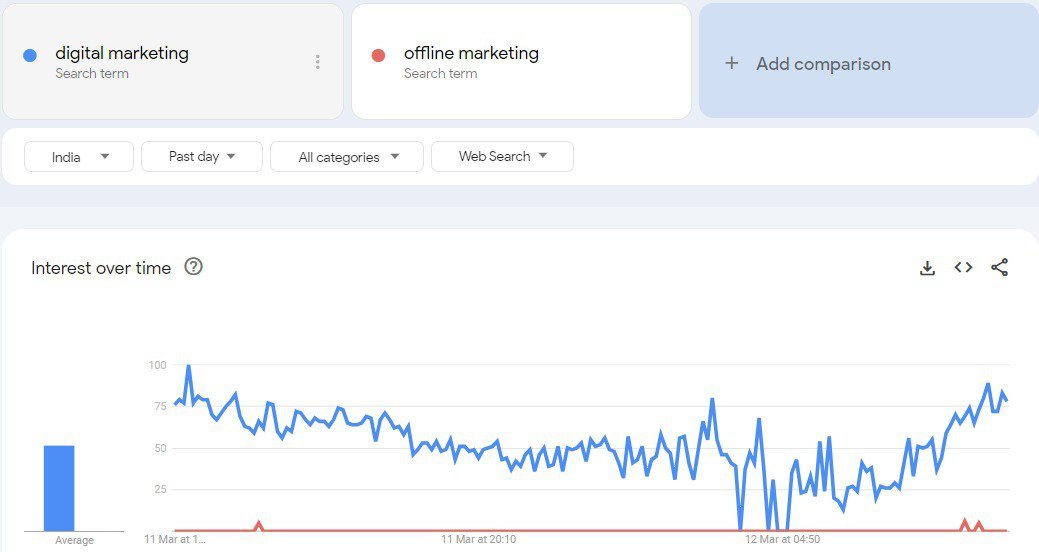
Google Trends is indispensable for understanding the popularity and seasonality of specific search terms. Comparing different keywords against each other over time, and by region, makes it possible to build a more targeted and timely content strategy rather than guessing at demand. It’s a genuinely useful tool for spotting a topic on the way up, and just as useful for noticing when a keyword you’ve been targeting is quietly losing steam before you sink more content into it.
3. AnswerThePublic
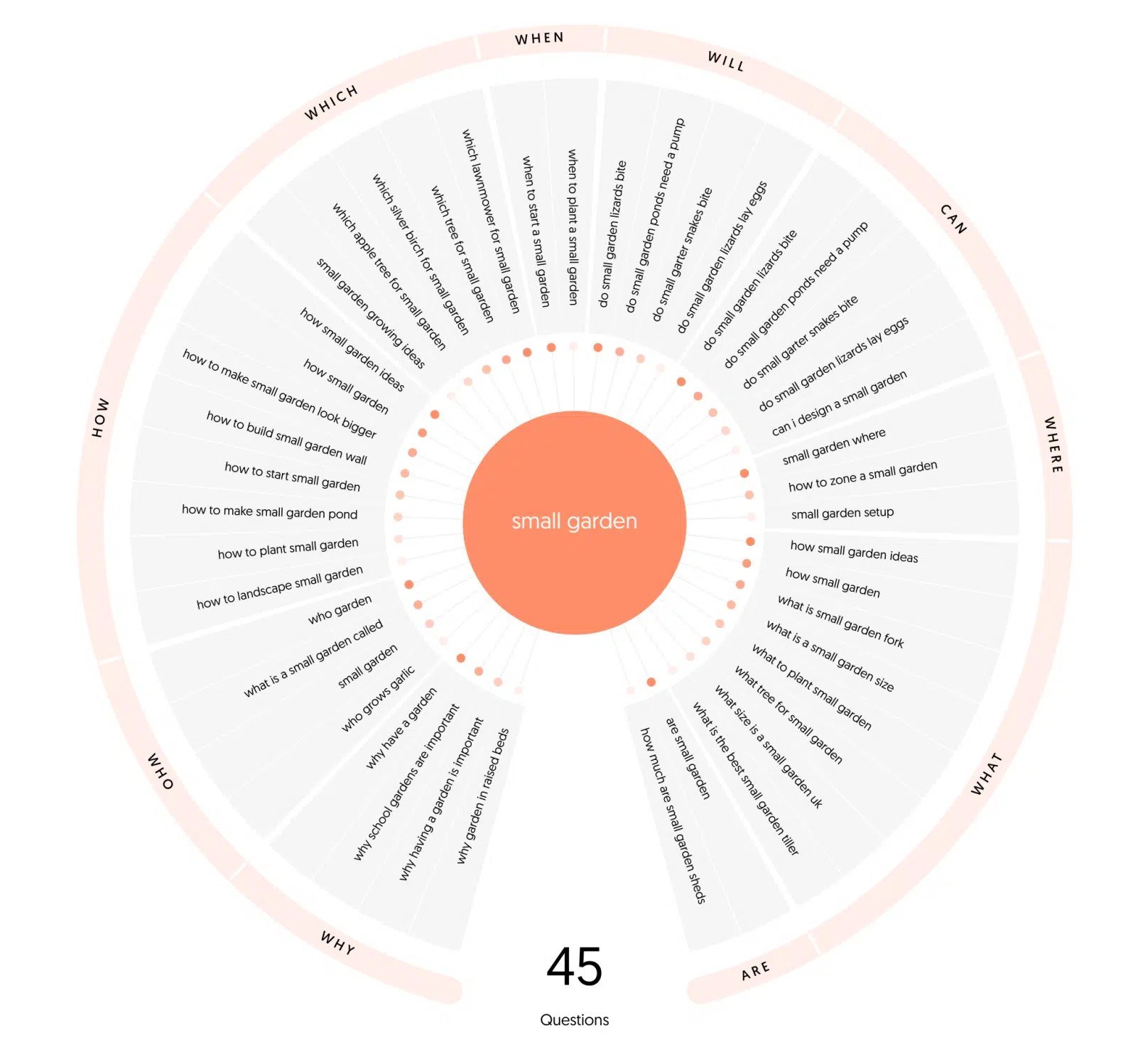
AnswerThePublic offers a distinctive take on keyword research by visualizing search questions and autocomplete suggestions in a format that’s easy to scan at a glance. That makes it particularly good for uncovering long-tail keywords and understanding the specific, natural-language questions people are asking around your main topic. The free tier is capped at a handful of searches a day, but for content ideas that directly address what your audience is actually asking, it’s one of the more distinctive tools on this list.
4. Keyword Surfer
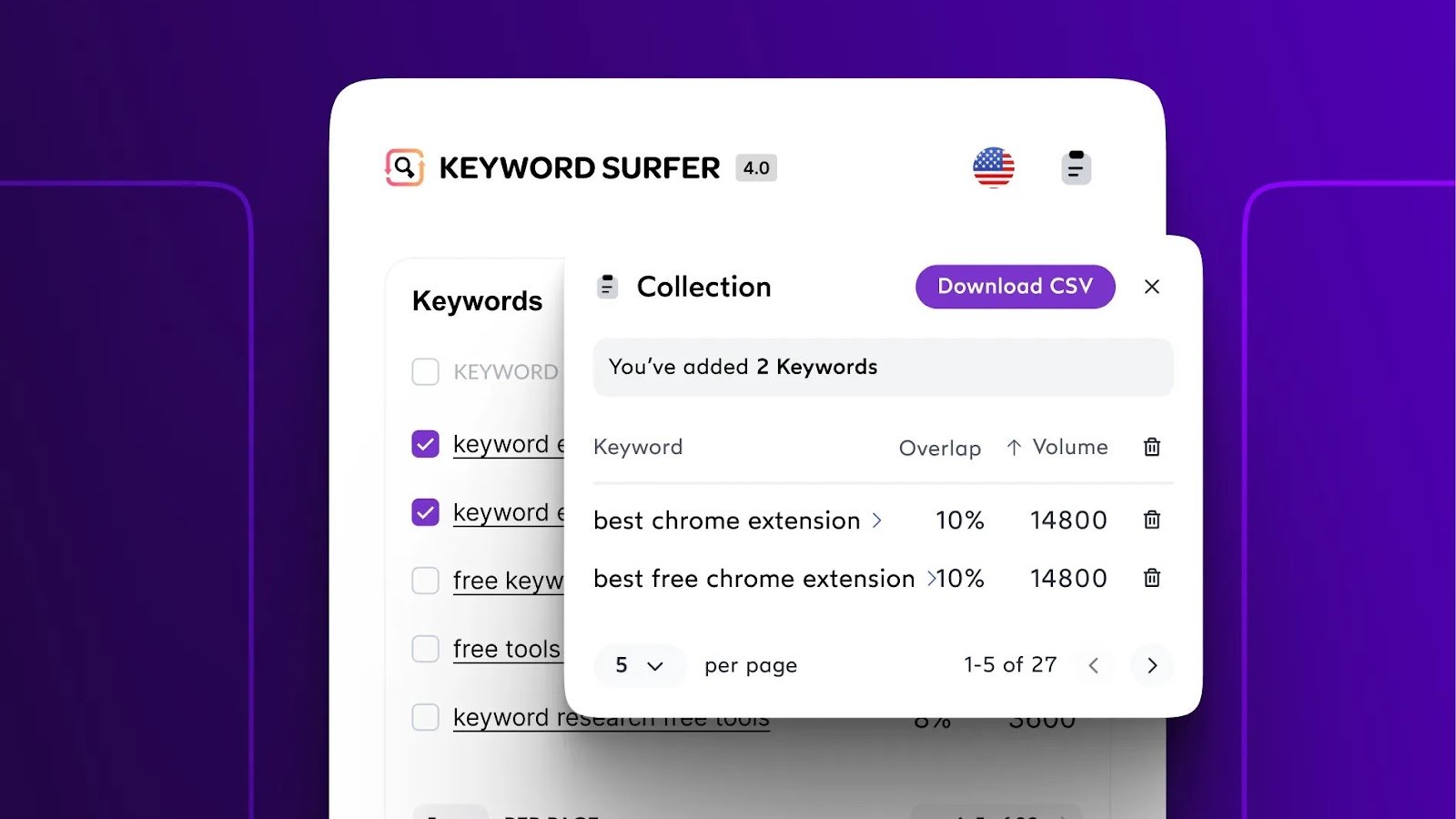
Keyword Surfer is a browser extension that surfaces search volume, estimated CPC, and related keywords directly inside your Google search results, with no separate dashboard or login required. It’s a quick and convenient way to sanity-check a keyword idea without leaving the search page, which makes preliminary keyword research considerably less friction-heavy than switching between tabs and tools.
5. SEMrush
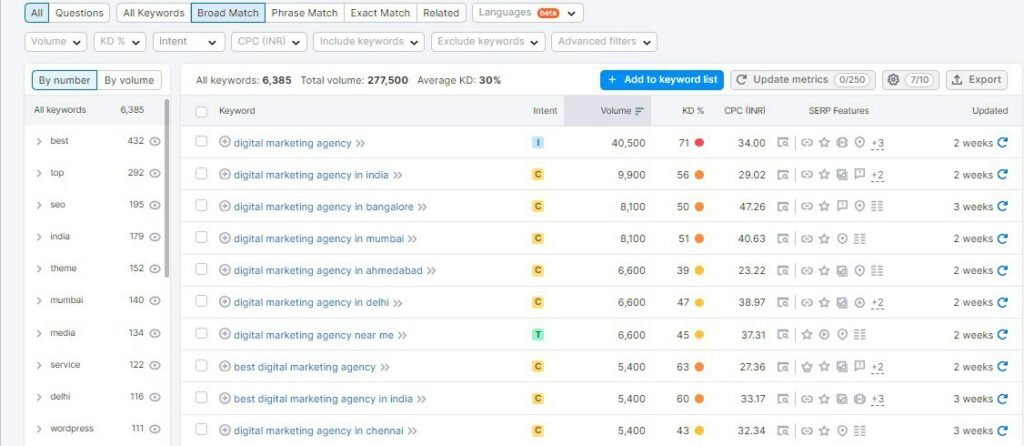
Semrush offers a limited free tier that’s still packed with genuinely useful data for keyword research, drawing from a database of tens of billions of keywords. Whether you need a quick competitor read or a broader keyword list, the free version provides real value for refining strategy, even though daily usage is capped. It’s a strong starting point for serious marketers who expect to eventually need the fuller paid platform for backlink and competitor analysis alongside keywords.
6. Ubersuggest
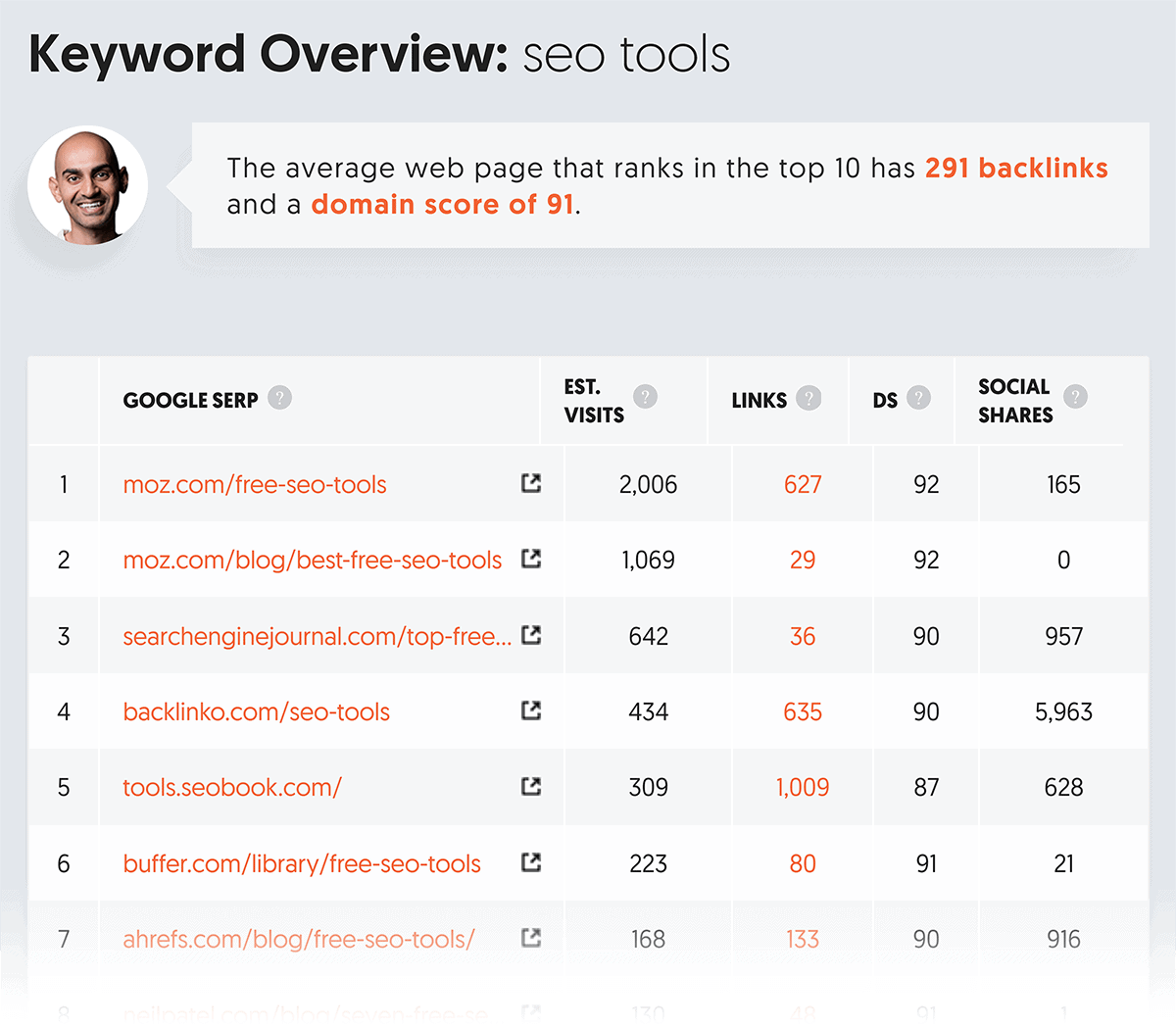
Neil Patel’s Ubersuggest plays the role of an enthusiastic coach: full of advice, easy to follow, and not intimidating for someone new to SEO. Its user-friendly interface and comprehensive data appeal equally to beginners and to agencies running quick checks. The web app’s free tier caps out at a few searches and one domain analysis a day, but the companion browser extension offers unlimited basic keyword lookups while browsing, which stretches the practical value of the free tier further than the web app alone suggests.
7. Ahrefs
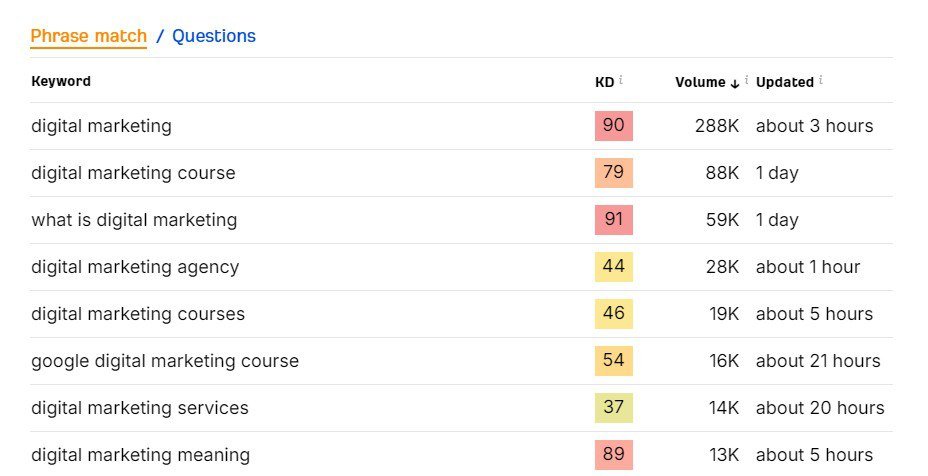
Ahrefs carries a reputation as something of a sage in the SEO world, and its free Keyword Generator lives up to that reputation without any of the excess. It returns up to 100 keyword suggestions and questions for a given term, alongside the top 10 pages already ranking for it, no account required. It’s straightforward and no-frills, and delivers exactly what it promises. Sometimes simplicity really is the more sophisticated choice.
8. KeywordTool.io
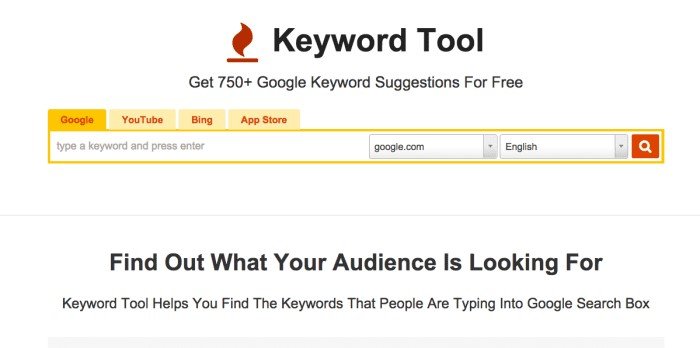
KeywordTool.io generates hundreds of relevant long-tail keywords using real Google Autocomplete data, and it’s free to use without creating an account. The free version hides exact search volume and CPC behind a paid tier, but for understanding genuine user search intent through natural, autocomplete-driven phrasing, that limitation rarely gets in the way of finding strong long-tail ideas.
9. Soovle
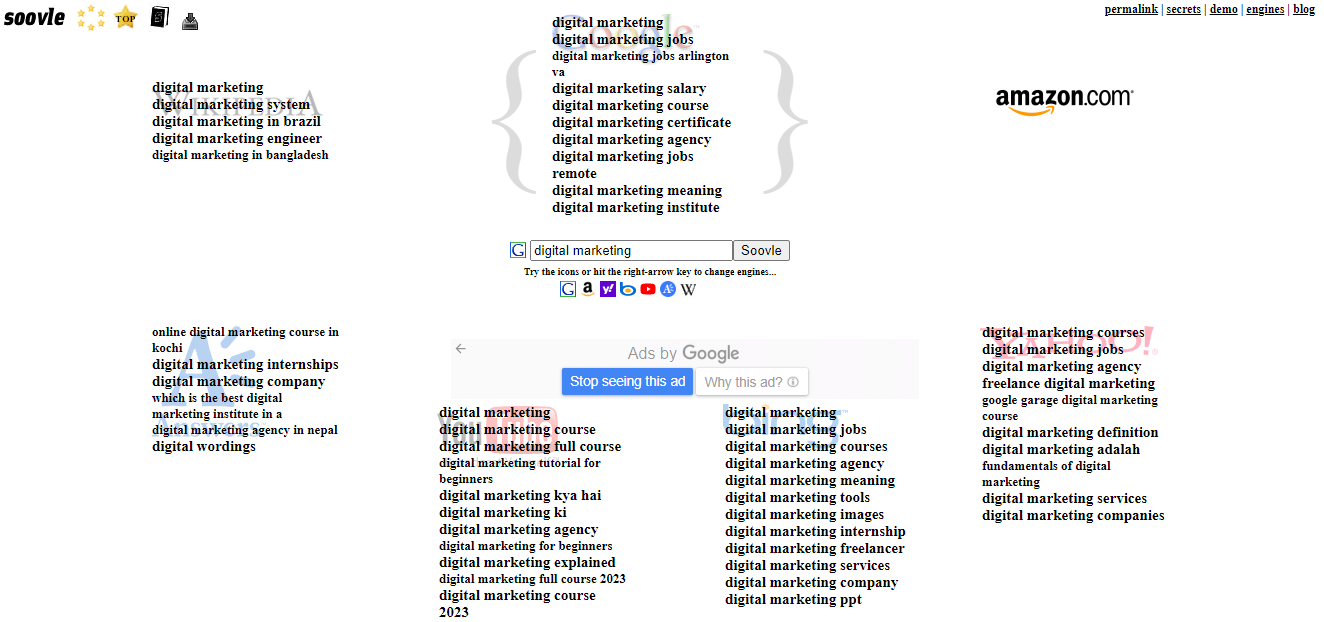
Soovle provides keyword suggestions pulled from multiple sources at once, including Google, YouTube, Amazon, and more, all in a single view. That makes it especially useful for finding niche-specific keywords or understanding how search intent for the same core term shifts depending on which platform someone is actually searching from.
10. Wordtracker Scout
Wordtracker Scout is a browser extension that analyzes the keywords already being used on any website you visit, which makes it less a keyword generator and more a window into competitor strategy. It’s a genuinely useful way to understand what’s working for a competitor, or to find inspiration from a well-ranked site in your space, without having to reverse-engineer it manually.
11. Seed Keywords
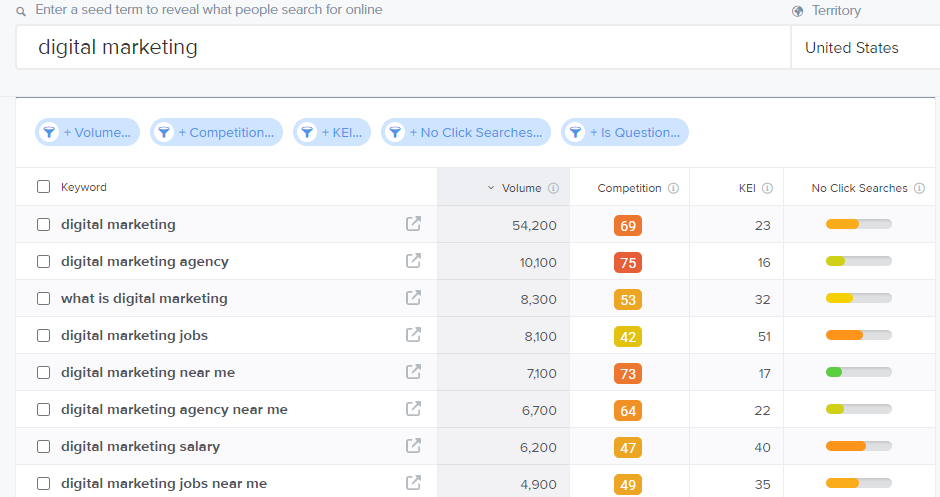
Seed Keywords takes a noticeably different approach from the rest of this list. Rather than pulling from search engine data, it lets you create a search scenario and send it to your own contacts to ask what they’d actually search for in that situation. The result is real, natural-language keyword ideas grounded in genuine user intent rather than autocomplete patterns, which makes it a useful sanity check against the more automated tools here.

12. Keyword Sheeter
Don’t let the name undersell it. Keyword Sheeter is a straightforward but genuinely effective tool that generates a large volume of keyword variations from a single seed term. It’s built for brainstorming sessions where the goal is a lot of raw ideas fast, before narrowing the list down with a more analytical tool.

13. Spyfu
Spyfu offers a direct look into a competitor’s keyword strategy, showing the terms they’re actively bidding on through Google Ads alongside their strongest organic keywords. That competitive intelligence is genuinely valuable for refining your own strategy, particularly when you already know exactly who you’re competing against and want to understand how they’re winning visibility.
14. Keywords Everywhere
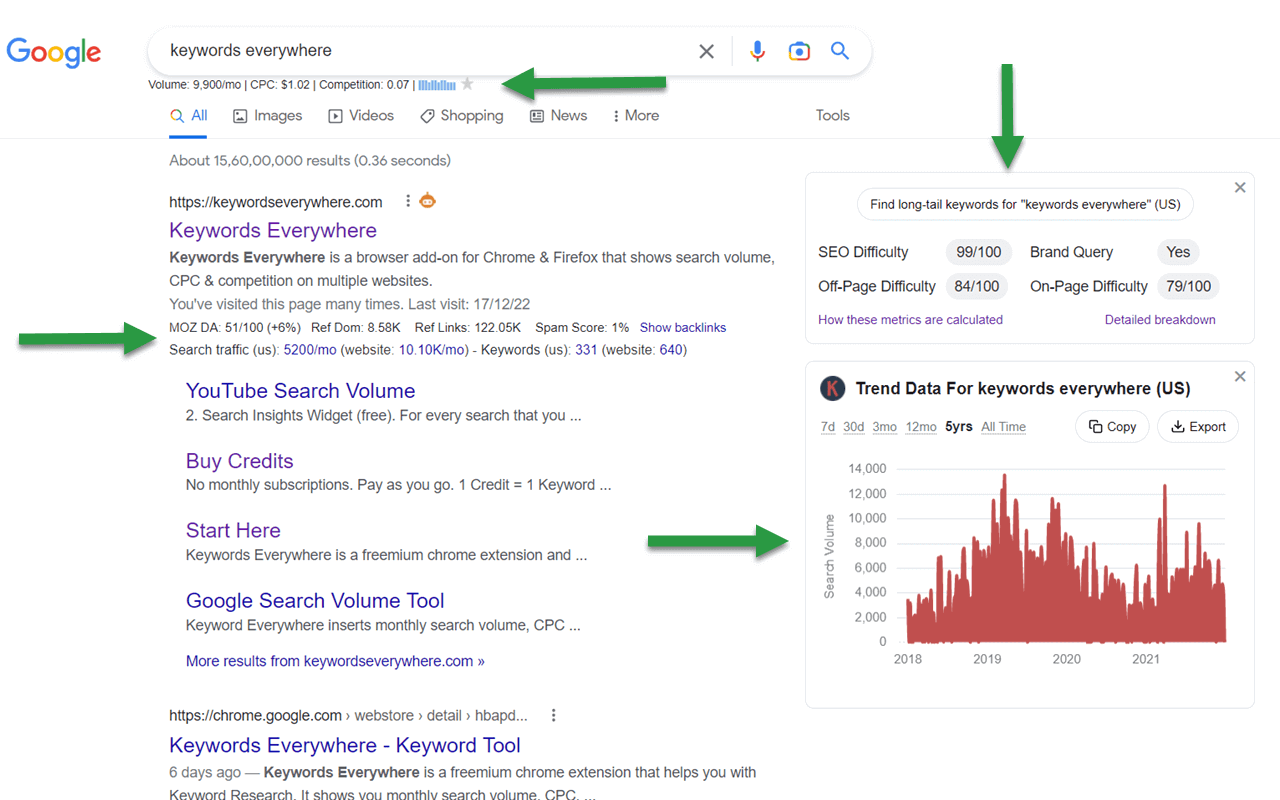
Keywords Everywhere is another browser extension that shows search volume, CPC, and competition data directly inside your Google search results. It runs on a low-cost credit system rather than being fully free, which is worth knowing going in, but it saves real time by folding keyword data straight into your existing search workflow rather than requiring a separate tool.
15. Serpstat Keyword Research
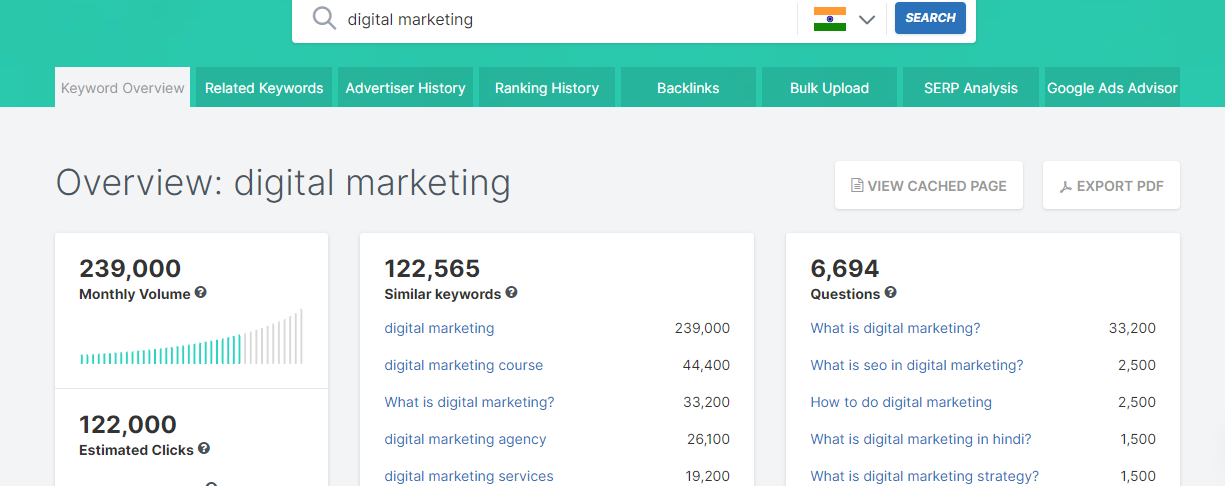
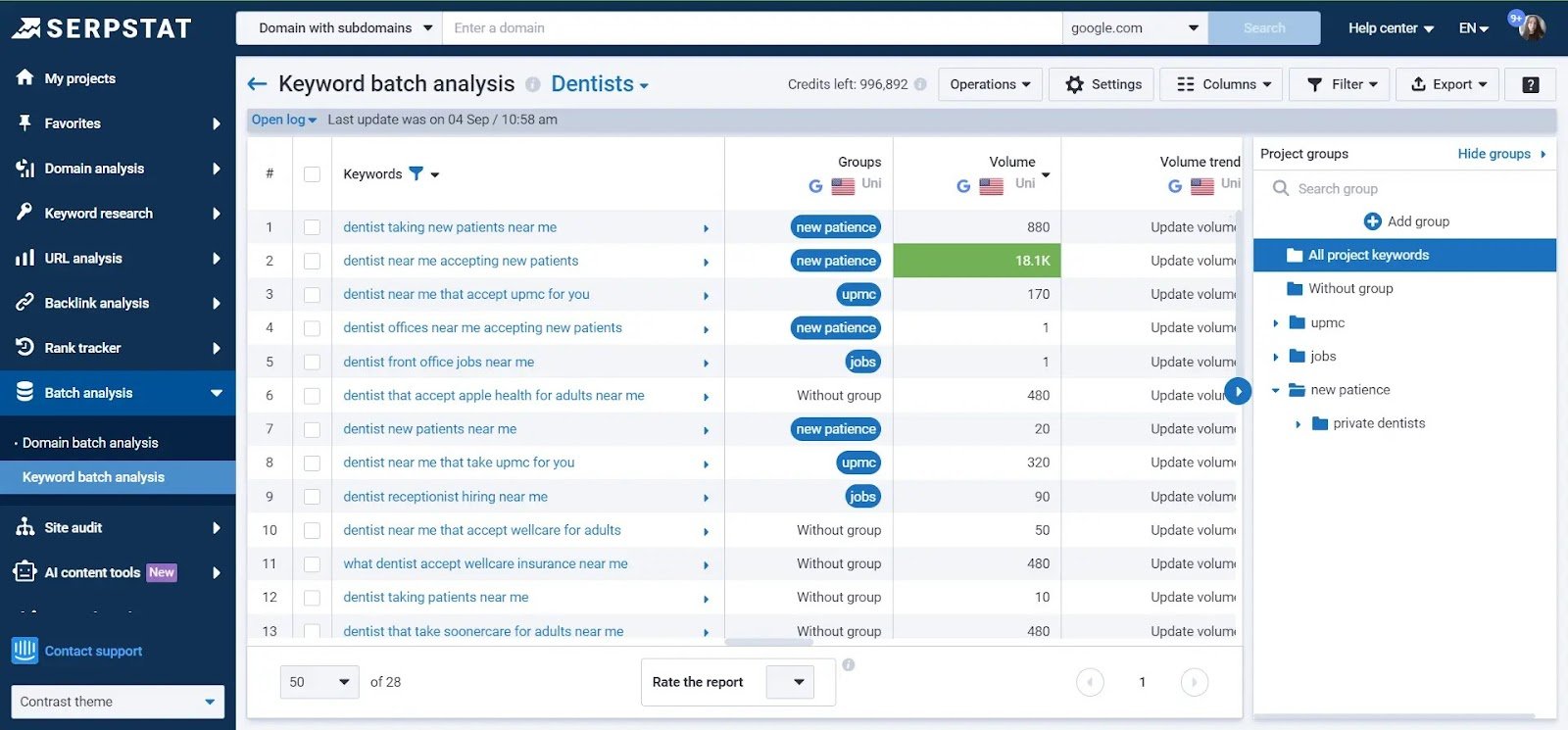
Serpstat rounds out this list with a fuller SEO toolset, including a keyword research module that offers detailed insight into keyword difficulty, search volume, and competition. It also displays the top Google results for each keyword, making it easier to size up the competitive landscape before committing content resources to a term.
Conclusion
There you have it: 15 free keyword research tools that can genuinely illuminate the path to a stronger SEO strategy. In a digital landscape where the right keywords can make or break a page’s chances of being found, these tools offer real data to make sure your effort is aimed at something people are actually searching for. But a finished keyword list is an input, not a finished strategy. It’s only worth something once it’s turned into content and technical priorities, tied to which terms actually move traffic and leads, rather than left sitting in a spreadsheet.
That’s exactly where the return on keyword research tends to show up in practice. First Launch’s SEO work has turned keyword-led content into a 700% increase in lead generation for one client, and helped a US energy brand reach position one on Google for its core terms, in both cases because the keyword research was tied to a prioritized plan rather than treated as the finish line. Whether you’re crafting a new blog post, optimizing a webpage, or planning out a content calendar, these 15 free keyword research tools, the same kind an established SEO company in Bangalore would use as a starting point, give you a solid, well-targeted foundation to build from. The best keyword strategy is one that’s continuously refined and updated, and with these tools at your disposal, you’re well-equipped to keep pace with an ever-evolving search landscape.
Frequently Asked Questions
What is the best free keyword research tool?
There isn’t one answer independent of the goal. Google Keyword Planner is the most reliable for direct search volume, Ahrefs’ free Keyword Generator is the fastest for a quick competitive read, and AnswerThePublic is strongest for uncovering long-tail, question-based keywords.
Are free keyword research tools accurate?
Mostly directionally accurate rather than exact. Several tools on this list, including Keyword Planner without active ad spend, show volume as a range instead of a precise figure, and most free tiers cap daily searches or hide CPC data. They’re reliable enough to prioritize keyword ideas, less reliable for precise volume forecasting at scale.
How many keywords should one page target?
Usually one primary keyword and a handful of closely related long-tail variations, rather than trying to rank a single page for many unrelated terms. Spreading one page too thin across disconnected keywords typically dilutes its relevance for all of them.
Do I need a paid keyword tool to get started?
Not immediately. Google Keyword Planner, Google Trends, and Ahrefs’ free Keyword Generator together cover most of what a new website needs before a paid tool becomes worth the cost, which usually happens once keyword research needs to happen across dozens of pages rather than a handful.
How often should keyword research be revisited?
Search behavior shifts over time, so a keyword list built a year ago may no longer reflect how people are actually phrasing the question today. Revisiting core keywords every few months, or whenever a page’s traffic unexpectedly drops, keeps the strategy grounded in current search behavior rather than outdated assumptions.

